
Supplier management software is a shared system for keeping every supplier you use on one record: who they are, how to reach them, whether they’re qualified to work for you, and how they performed last time. It replaces the spreadsheet, the accounting-software contact list and the business cards in someone’s drawer.
This guide is for small purchasing, facility and property teams that buy services and trades: plumbers, electricians, HVAC, cleaning, landscaping, concrete. It isn’t about managing parts suppliers in a factory, and it isn’t a comparison of enterprise procurement suites. Most of what ranks for this term is written for one of those two audiences. If you hire the people who keep your buildings running, the priorities are different.
I’ve spent my career buying for construction, facility and property operations. Here’s what I’d look for, what I’d skip, and when I’d tell you not to buy anything yet.
In this guide:
- What supplier management software actually does for a services buyer
- What most small teams use before, and the moment it stops working
- When a spreadsheet is still enough
- Features to look for in supplier management tools
- Supplier performance management for services (not on-time delivery and fill rate)
- What a small team shouldn’t pay for
- Why qualification has to be repeated, not done once
- How to get started: step by step
- Questions to ask in every demo
- FAQ
What supplier management software actually does
Strip away the vendor marketing and a supplier management system does four jobs:
- Keeps one list everyone trusts. Every supplier, every contact, and a clear status: preferred, approved, cautioned or do-not-use.
- Holds the proof. Insurance, safety certificates, bonding, licences, and for engineering firms an engineer on record, attached to the supplier rather than buried in an inbox.
- Remembers how they performed. A rating when each job closes, so the next decision is based on evidence rather than whoever happens to remember.
- Gets the right name to the right person fast. Including at two in the morning, when the purchasing manager is asleep.
Enterprise platforms add sourcing events, contract lifecycle management, risk scoring feeds, invoice matching and payments. Some teams need those. Most small teams don’t, at least not yet. More on that below.
What most small teams use before supplier management software
In my experience, small companies run their suppliers on one of three things: Excel, pen and paper, or at most their accounting software.
Accounting software has a very basic vendor function. It holds contacts, transactions and spend. What it doesn’t hold is anything that tells you whether you should use a supplier again: performance, compliance, qualifications. A CRM is closer, because it’s built to show a pipeline (what’s coming up, what’s overdue, what’s no longer relevant), but it’s built for customers, not suppliers. Most of these tools can’t rate a vendor at all. Their “vendor management” is a contact card.
The moment it stops working
The trigger is almost never a planned upgrade. It’s someone dropping the ball: using the wrong vendor, or an unqualified one, and finding out after the fact.
Here’s the pattern. A small vendor does the first few jobs cheaply and well. Then the one time something breaks and you need their insurance to kick in, they can’t step up.
I’ve come close to this myself. A team member said, “I know a guy.” He did concrete cutting and coring, worked out of a van, was inexpensive, did the job well and got on with everyone on site. When we wanted to use him at another location, I was asked to set him up properly: get him into accounting and complete his compliance. That’s when I found he had no liability insurance.
Coring means cutting into concrete that may have electrical wires or pipes behind it. Once I flagged it, everyone agreed we couldn’t use him, even though he had the best price. We told him what he’d done well and that insurance was a non-negotiable, because we wanted him to succeed as a supplier. He hasn’t come back with a policy, so we haven’t used him again.
That’s the moment most teams realize they need to know their suppliers better. Chances are your vendors have the insurance and certificates you need. The point is to have a “yes” on file rather than assume one.
When a spreadsheet is still enough
I still use spreadsheets, and I’d still recommend them in a small, simple operation. If one purchasing manager is organizing information for themselves and it rarely gets passed around, Excel is fine. It’s extremely flexible.
There’s no magic number of vendors or users where you have to switch. The test is whether the list is still doing its job: is the information being used, applied and kept up to date by the people who rely on it?
Here’s the sign it isn’t: people start making copies. Someone saves a version to their desktop. Someone else ignores the update you sent last week. Everyone sees a slightly different layout, and the file you built carefully is no longer the single source of truth. That can happen on a team of three, as long as those three have different habits and different comfort with Excel.
A spreadsheet starts as clean data. Dirty data gets mixed in as it lives in different people’s hands, and periodically you have to reissue a fresh copy to get everyone back to the same version.
The real risk isn’t untidiness. It’s what gets used to make decisions. If a vendor is marked do-not-use and that update never reaches the person booking the work, they hire a disqualified vendor. Something goes wrong, and you find you had no contract and no insurance on file.
Features to look for in supplier management tools
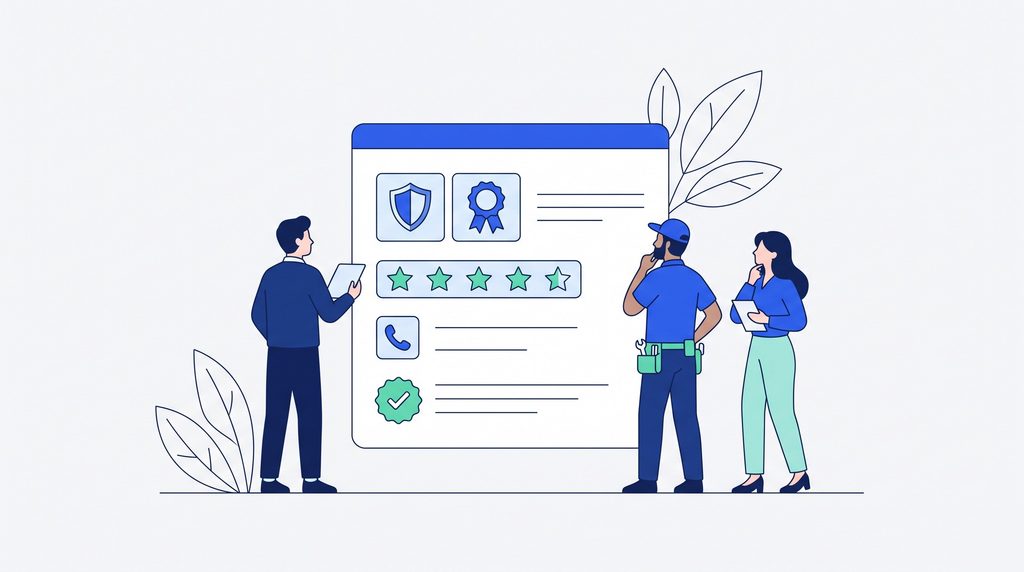
Use this as a checklist when you compare supplier management tools.
- One shared record, not copies. Everyone sees the same supplier list, and there’s nothing to save locally. This is the whole point.
- A clear status on every supplier. Preferred, approved, cautioned, do-not-use. On any given day you should be able to say, “of our 600 vendors, these are active, these are preferred and these are cautioned,” and have the whole team on the same page. (See how to build an approved vendor list.)
- Qualification and compliance on the record. Insurance, safety certificates or manuals, bonding, licences, engineer on record. You need to collect them once and then again every year.
- Performance ratings at job close. A quick score while the job is fresh, building into a history over time. Most basic tools can’t do this. (See the vendor scorecard.)
- A category health view. Do I have enough electricians who can respond to emergencies? Enough plumbers? Which categories am I in trouble with, and which are healthy? This is the supplier equivalent of a sales pipeline.
- Project history by supplier. Every job you’ve run with them, with the quotes, notes and messages attached. It’s your memory, and it’s your audit trail.
- Team access and permissions. Field staff can look things up; the record stays under central control so it doesn’t drift.
- Filtering that matches how you search. By category, location, status and minimum rating, so “active, qualified electrical contractors in this region rated four stars or higher” is one search, not an afternoon.
- Easy, secure data export. Ask how your data is protected and how quickly you can get all of it out if you ever need to move.
Supplier performance management for services
Every top-ranking guide on this topic measures suppliers with manufacturing metrics: on-time delivery, defect rate, fill rate. Those make sense if you’re receiving pallets. They don’t tell a facility manager much about a plumber.
In facility purchasing, I see service in two forms:
- Planned work. You know it needs doing; it isn’t urgent. Boiler maintenance booked for September before winter arrives. Window washing, where you get quotes, coordinate and set a date everyone works towards.
- Emergency work. A leak in the middle of the night. Who do you call immediately, and who’s actually going to show up?
For the second kind, the metric that matters most is what I call ease of doing business: how well a vendor can serve you given the uncertainty. Some vendors are rigid and need every piece of paperwork in place before they’ll lift a finger. Others will say, “Let’s solve the problem first and deal with the invoicing afterwards.” Which one suits you depends on your own company’s approach to spending and execution, but you need to know which is which before the pipe bursts.
That’s where shared supplier software pays off. If the emergency contact is set and the preferred plumber is marked, anyone on the team can log in at 2 a.m., look it up and make the call, without waking the purchasing manager.

What a small team shouldn’t pay for: full ERP integration
Enterprise suites (Ariba, Coupa, Ivalua and the procurement modules of the big ERPs) are designed around one idea: a completely connected experience. Set a supplier up in accounting and they appear in purchasing, inventory and HR automatically. Everything is linked.
That’s valuable at a certain size. But it comes with consulting fees, implementation costs that can run into the hundreds of thousands of dollars, and then recurring licence fees on top. A full ERP system can easily be a $200,000 decision.
The thing most small businesses don’t need to pay for yet is that full integration, especially if you’re not running Microsoft or SAP in the first place and your accounting software has no purchasing module to connect to.
The practical alternative is to keep the jobs separate:
- Use supplier management software for supplier data, qualification and the decision itself.
- Once the decision is made, raise the purchase order and process invoices in the accounting software you already use.
Some teams prefer that separation for security reasons anyway. A lightweight tool with almost no implementation cost will cover the large majority of what a small team needs from vendor management, and you can grow into deeper integration if and when the business needs it.
Supplier management system vs supplier relationship management (SRM)
You’ll see both terms. Roughly:
- Supplier management is the operational record: who your suppliers are, whether they’re qualified, how they’ve performed and who to call.
- Supplier relationship management (SRM) is the strategic layer large procurement teams add on top: sourcing events, risk monitoring, supplier development programs, contract portfolios.
If you have a handful of buyers and a few hundred suppliers, get the first one right before you look at the second.
Why qualification has to be repeated, not done once
The most expensive vendor problem I’ve been part of wasn’t a cheap, uninsured guy with a van. It was a good subcontractor.
We hired a sub-trade for major formwork. They’d done well for us before, so we were comfortable with them, and we awarded them a new project. Soon after, they went into receivership, midway through the job.
We had decent credentials on file. But we could have done more: we should have been rechecking their performance, their credentials and their financial viability on a recurring basis, not just when they first came onto our list. The result was delay, a lot of extra work to finish the job with as little additional cost as possible, and a hit to our reputation, which was the most expensive part.
Our client asked the question every client will ask: “Did you check them out? Show me that you did everything you could.” Because we’d run a proper tendering process and had the record to show it, the owners agreed we’d made the best choice we could at the time.
The lesson I took from it: the bigger the contract and the more critical the work, the more qualification you do, and you repeat it. We now add qualification requirements at every major award. Good supplier management software makes that a routine step rather than a scramble. (For the review itself, see the vendor audit checklist.)
How to get started with supplier management software: step by step
- Export your vendor list from your accounting software. That’s usually the most complete list you have.
- Find the active ones. A company with 600 vendors on file rarely has 600 active. Most have done business with them at some point. Expect 20 to 30% to be active, so around 120 out of 600. Start there. (See vendor consolidation for trimming the rest.)
- Move the active suppliers into one shared system. Categories, locations and every contact you actually call.
- Set a status on each one. Preferred, approved, cautioned or do-not-use. Don’t delete the rest; change their status.
- Collect compliance documents. Insurance first, then safety, bonding, licences and engineer on record where relevant. Put a date in the calendar to collect them again next year.
- Rate every job when it closes. On time, on budget, quality, and how easy they were to deal with.
- Set emergency contacts by category and give the field team access, so the right call can be made at any hour.
- Re-qualify before major awards. Check credentials and viability again whenever the contract value or the risk goes up.
Questions to ask in a supplier management software demo
- Can everyone on my team see the same record, and can I control who edits it?
- Where do insurance and certificates live, and how do I know which suppliers are due to renew them?
- Can I rate a supplier at job close, and can I filter by that rating later?
- Can I see at a glance which categories are thin, such as not enough emergency electricians?
- How is my data secured, and how quickly can I export all of it if I leave?
- What does it cost to implement, not just to license?
Supplier management software FAQ
What is supplier management software?
A shared system for keeping supplier records, compliance documents, performance history and contacts in one place, so your team chooses and calls suppliers based on evidence rather than memory.
Is supplier management software the same as vendor management software?
In practice, yes. “Supplier” is more common in manufacturing and supply chain; “vendor” is more common in facilities, property and services. The features a small team needs are the same.
Do small businesses need supplier management software?
Not always. If one person manages the list and rarely shares it, a spreadsheet can work. Once people start keeping their own copies and you can’t be sure everyone is working from the latest version, it’s time.
What should you look for in supplier management tools?
One shared record, a clear status on every supplier, compliance documents on the record, performance ratings at job close, a view of which categories are thin, and easy, secure data export.
Do you need supplier management software that integrates with your ERP?
Not at first. Many small teams run supplier decisions in a separate tool and raise purchase orders and pay invoices in their existing accounting software. Full integration makes sense later, when the business is big enough to justify the cost.
Start with the supplier record
PowerRFP’s vendor management system gives your team one shared directory for every supplier and contact, with status, categories and project history on the record. Qualification management and performance ratings at project close come with the Pro plan. The vendor directory is free with unlimited vendors and contacts. Create your PowerRFP account to start your directory, or try Pro free for 30 days to add performance tracking.
Related: Vendor management for small teams · Approved vendor list · Vendor scorecard