Manage your vendors on evidence, not memory.

PowerRFP’s Vendor Management System keeps every vendor and contact on record, captures how each one performed when the project closed, and puts that history in front of you the next time you’re choosing. Start with a free directory — add as many vendors and contacts as you want.

Every project teaches your team something worth keeping

When a project closes, you know which vendor came in late, which one padded the invoice, and which one quietly did exactly what they said they’d do. That judgement is the most valuable thing the project produced, and it’s usually the only thing nobody writes down.

Put it on the vendor’s record and it stops being something you happen to remember. It survives the person who leaves, the year where nobody thinks about it, and the moment you’re choosing again with three names in front of you and no clear sense of which one let you down last time.
Featured

Start with your vendor directory.

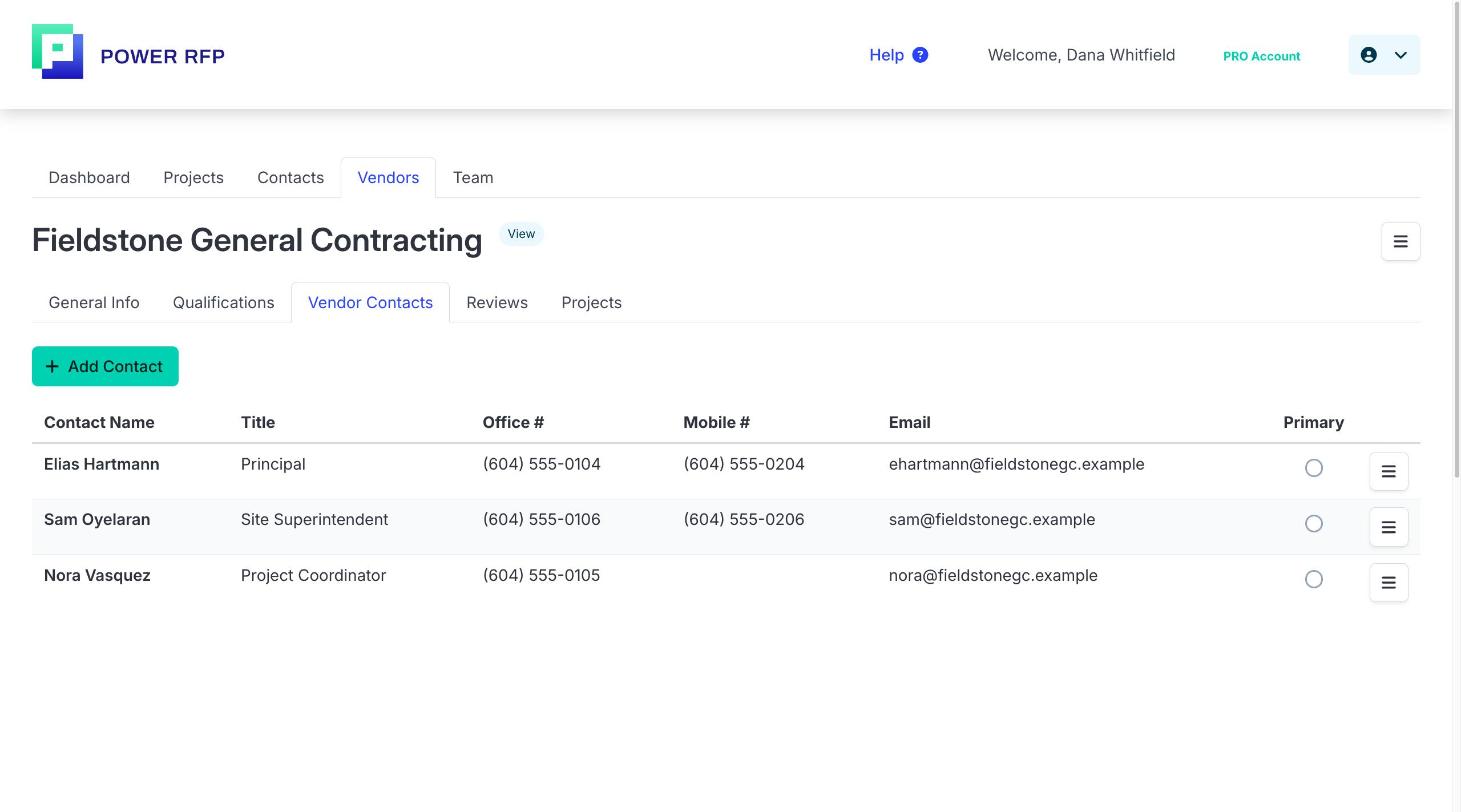
Add every vendor and contact you work with as a record — company details, categories, locations, and the people you actually call. There’s no cap: add as many vendors and contacts as you like on the free Starter plan. It all lives in one directory instead of scattered spreadsheets, saved business cards, and old email threads.

Rate. Record. Choose better.

This is what makes a vendor list worth keeping. Every project you close adds evidence, and every project you start uses it.

1.

Rate at project close

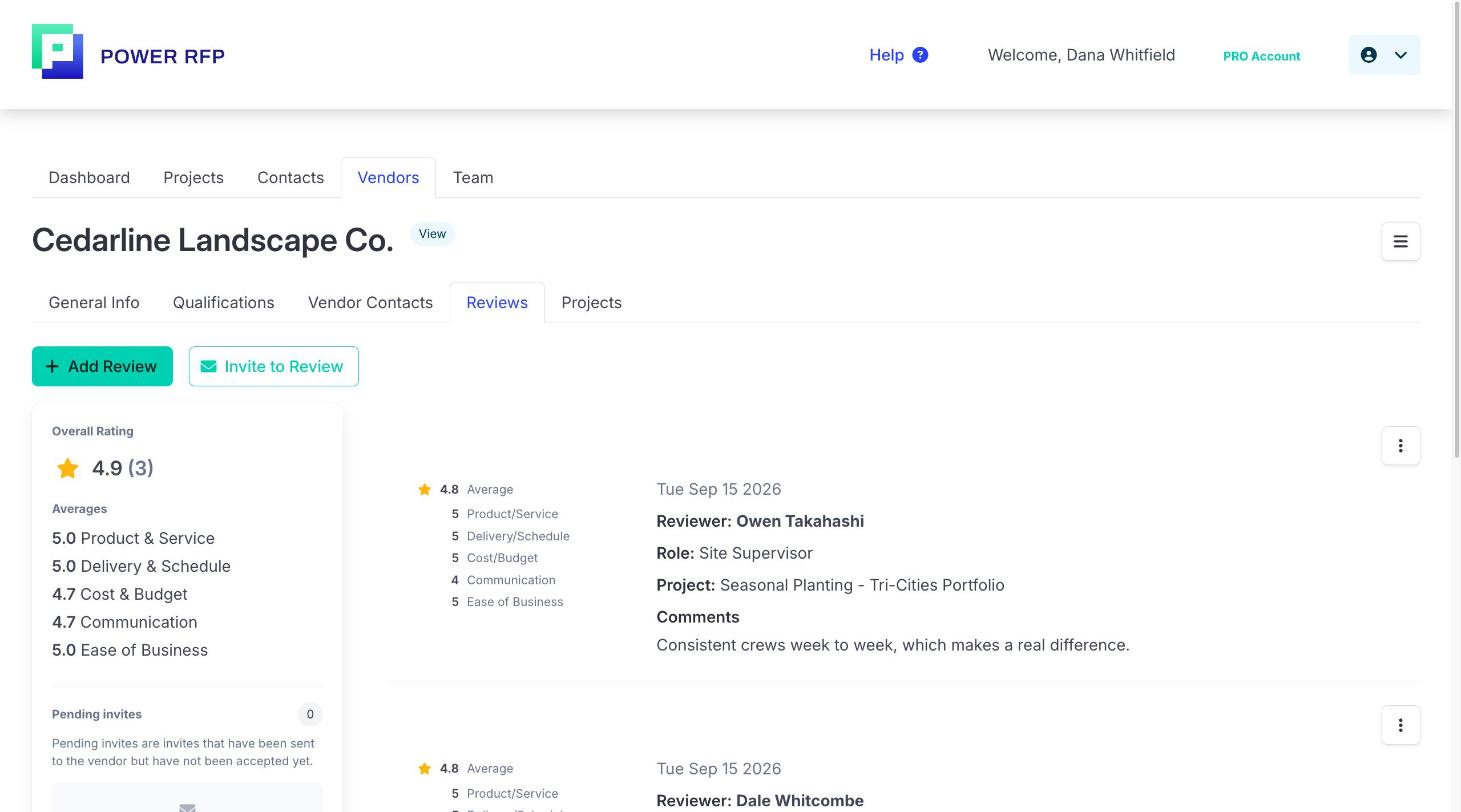
Score how the vendor actually performed — on time, on budget, on quality — while the project is still fresh. It takes a minute, at the moment you already know the answer.

2.

The record builds itself

Every rating adds to that vendor’s history. After a few projects you’re looking at a pattern, not one bad week or one good first impression.

3.

Choose from evidence

Filter and shortlist by past performance when you start the next project, so the vendors who have delivered rise to the top and the ones who haven’t stop getting invited.

Every vendor database runs into the same question — why bother entering the data. Here it pays back on the very next project.

Find the right vendor in seconds.

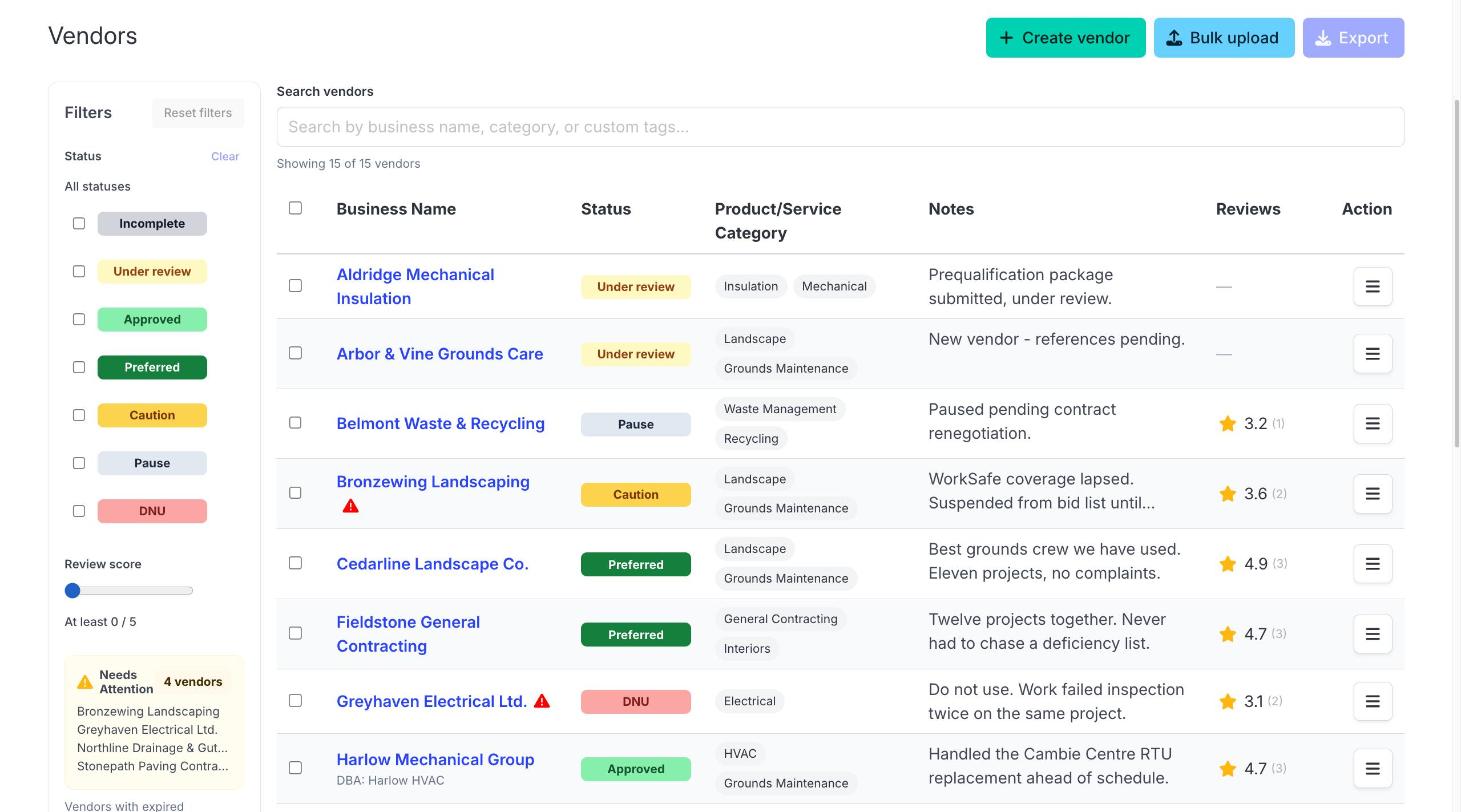
A vendor list is only useful if you can get to the right name quickly. PowerRFP filters on the things you actually sort by — status, category, location, and minimum rating — and you can stack them. Narrow to active, qualified electrical contractors in your region rated four stars or higher, and that’s your shortlist.

One PowerRFP customer manages more than 600 vendors. At that size, scrolling isn’t an option. Filtering is the only thing that makes a list that large usable.

Keep the record current, and keep it shared.

Qualification and status.

Track which vendors are approved, which are pending, and which are no longer in use. Insurance, certifications, and compliance details live on the vendor record instead of in a folder someone has to go and find.

Every project, by vendor.

Open any vendor and see every project you’ve run with them, with the proposals, notes, and messages still attached. New team member, long-standing vendor, full history.

Controls for your team.

Editors, watchers, and permissions across both sides of PowerRFP. Vendor records and notes stay under central control, so the directory doesn’t drift as more people start using it.

Use it on its own, or alongside your RFPs.

Not all vendor work is competitive bidding. If you manage a facility or a property portfolio and your vendor work is recurring trades — plumbing, HVAC, landscaping, cleaning, snow removal — you’re calling people you’ve used before and trusting they’re still good.

Run PowerRFP as a dedicated vendor management system and everything on this page stands on its own. Build the directory, rate the work as it’s completed, and keep an accurate picture of who’s qualified and who’s worth calling back.

When something does go out to tender, the bidding side is already there — same account, same vendor records, nothing to set up.

What our clients say

Patrick-Turner

PowerRFP is perfect for my purchasing projects. I love it.

Patrick Turner

Facilities Manager Centennial Real Estate

What's included.

Vendor management comes with every PowerRFP account. Pro adds the performance layer and the controls for your team.

Starter

$ 0 /month

  • Unlimited vendor records
  • Unlimited contact records
  • All your vendors and contacts in one place

Recommended

Pro

$ 25 /billed yearly

or $35/month, billed monthly. 30-day free trial.

Everything in Starter, plus:

  • Rate vendor performance at project close
  • Filter and shortlist vendors by past performance
  • Vendor status and qualification management
  • Project archive by vendor
  • Team controls: editors, watchers, and permissions

Both plans include the full RFP side of PowerRFP as well. → See full pricing

Start with the vendors
you already have.

Create a free account, add your vendor list, and start building the record you’ll use on the next project.

© 2025 Power RFP. All rights reserved.

Security and Privacy
Terms and Conditions